콘텐츠로 건너뛰기
  • X (Twitter)
  • Instagram
  • YouTube
  • TikTok
  • Pinterest

Free U.S. shipping & returns

  • Ergonomic Combos
  • Ergonomic Mice
  • Vertical Mice
  • Trackball Mice
  • Large Print Keyboards
로그인
  • X (Twitter)
  • Instagram
  • YouTube
  • TikTok
  • Pinterest
찾다
Sablute
  • ShopShop
    • Ergo Combos

    • Ergo Mice
      • Vertical Mice

      • Trackball Mice

    • For Mac

  • ProductsProducts
    • ERGO SERIES

    • TYPEWRITER SERIES

    • MOUSE

    • LIGHT UP SERIES

    • LARGE PRINT SERIES

  • SupportSupport
    • Contact Us

    • Product Manual

    • About Us

    • Driver Download

찾다 로그인 카트 0
카트

당신의 카트는 현재 비어 있습니다.

Not sure where to start?
Try these collections:

  • 쇼핑을 계속
무료 배송을 받으려면 $1,000.00USD 더 지출하세요!
    특별 지침 주문
    배송비 계산
    할인
      세금 포함 및 배송비는 결제 시 계산됩니다.
      소계
      $0.00USD
      Recently viewed
      찾다
      Home Search Shop 0 Cart
      Account
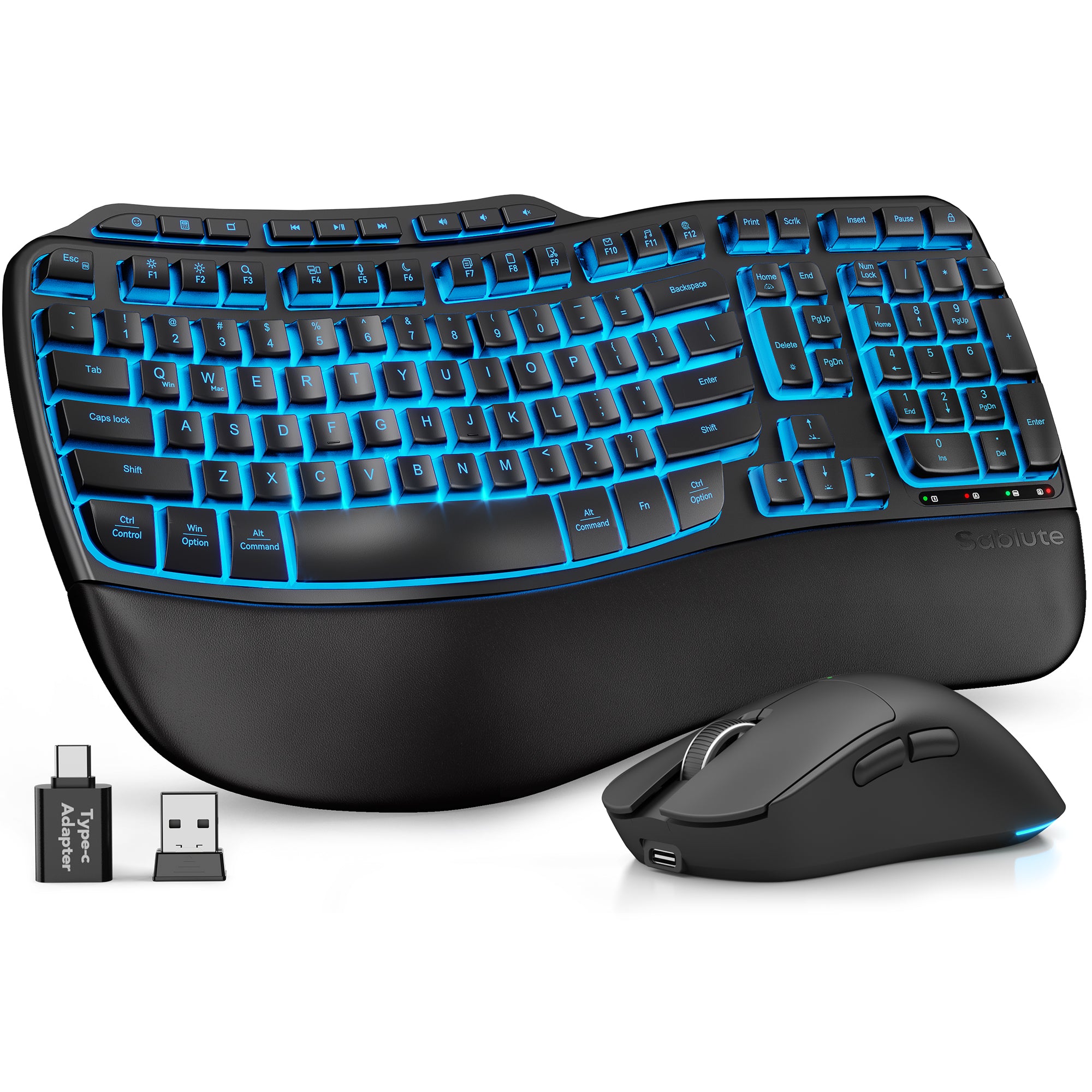
      Ergonomic Wave Keys Wireless Keyboard and Mouse Combo MA31 Pro
      Ergonomic Wave Keys Wireless Keyboard and Mouse Combo MA31 Pro
      Ergonomic Wave Keys Wireless Keyboard and Mouse Combo MA31 Pro

      Ergonomic Wave Keys Wireless Keyboard and Mouse Combo MA31 Pro

      판매 가격$56.99USD정가 $69.99USD

      4.8

      10 리뷰 10 총 리뷰

      재고 있음, 배송 준비 완료
       
       
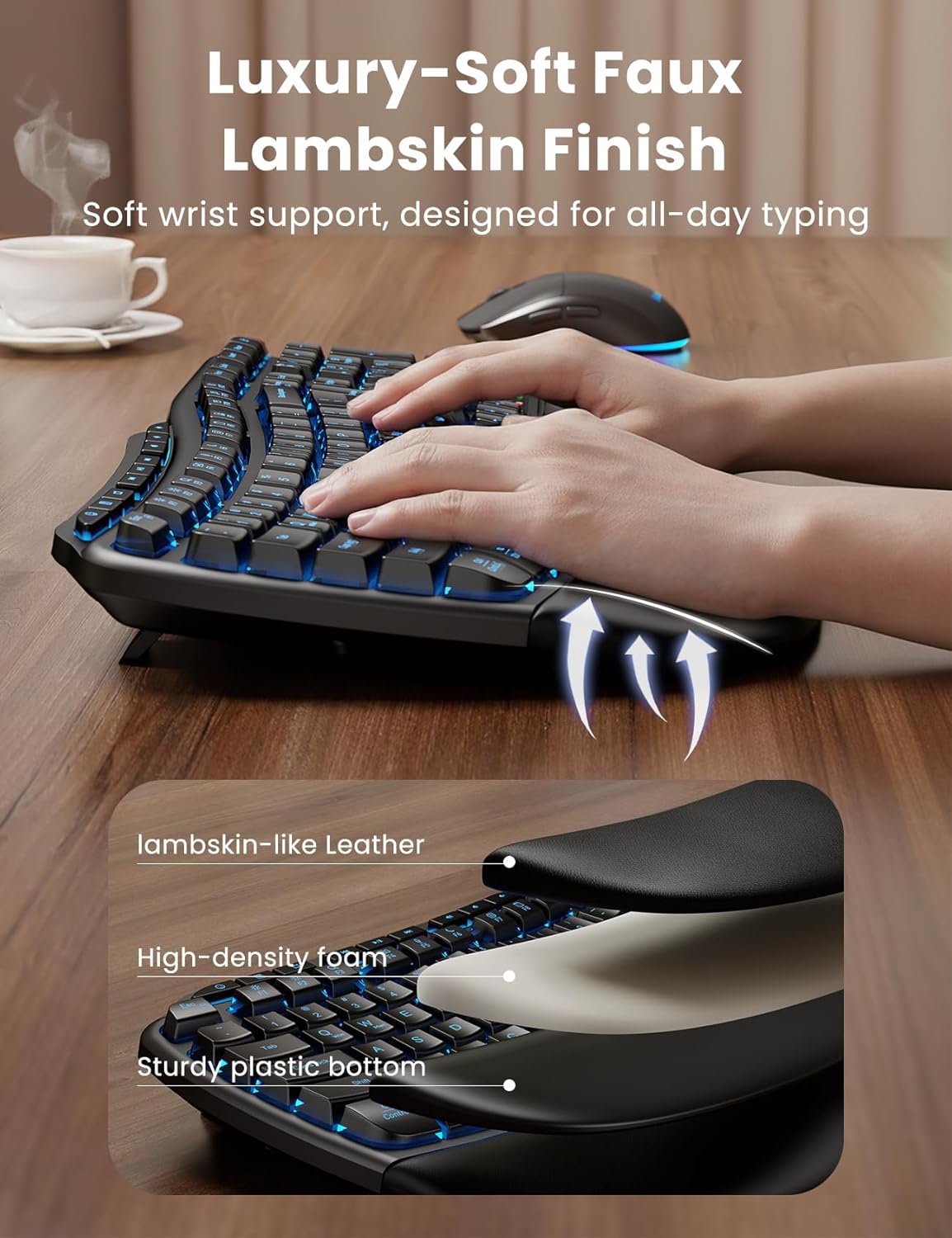
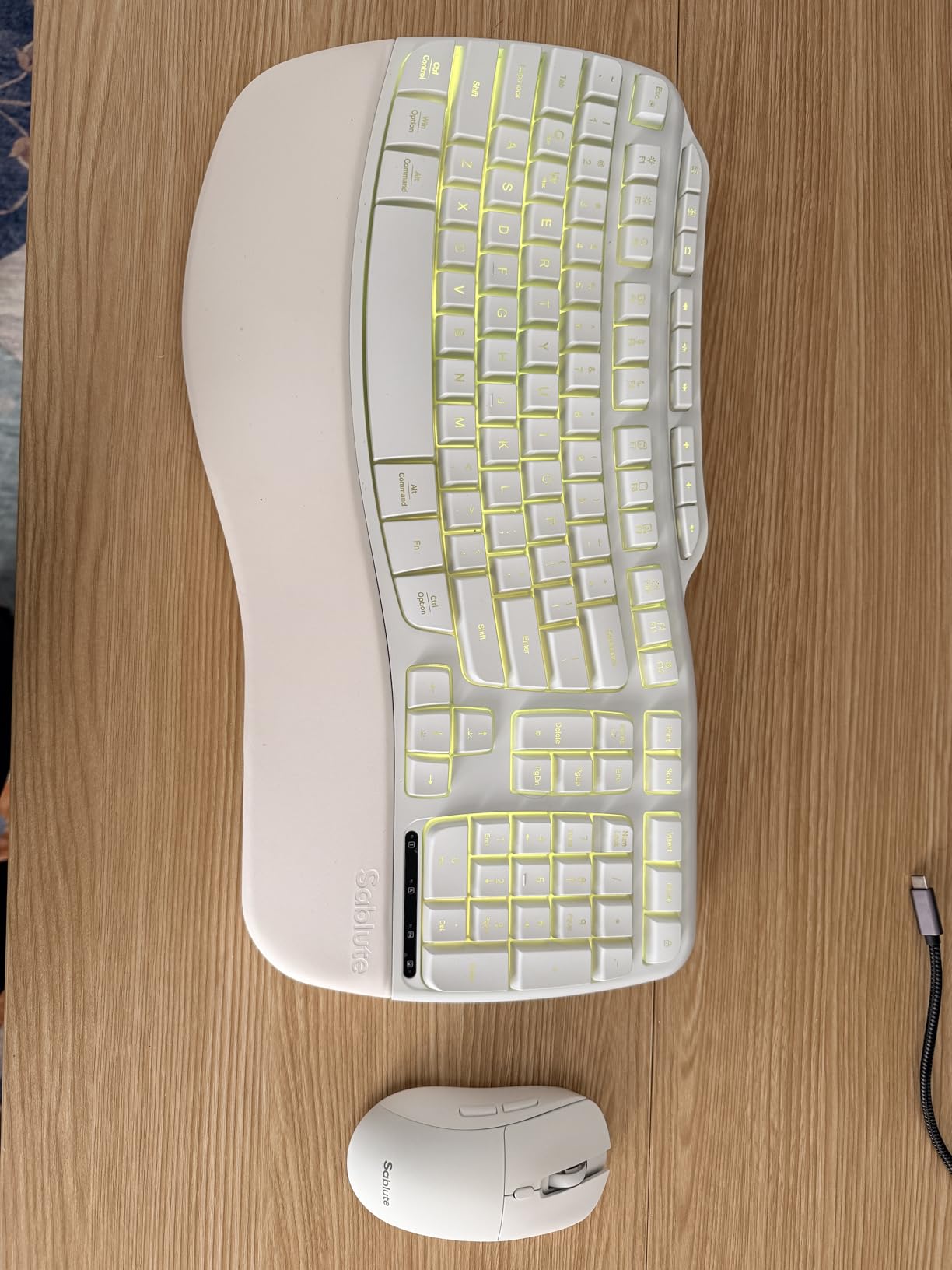
      • Premium Comfort & Craftsmanship – Experience the luxury of a silky-smooth faux lambskin leather palm rest paired with a refined matte finish. Unlike fabric, this synthetic leather is durable, sweat-proof, and easy to maintain. Every detail reflects thoughtful craftsmanship.
      • 4000mAh Ultra-Long Battery – Work longer without interruption. With 2× the capacity of standard backlit keyboards and intelligent auto-sleep, this keyboard lasts weeks on a single charge.
      • 10M Keystroke Durability – Built to handle 10 million keystrokes—twice the life of standard keyboards (5M). A smarter long-term investment that saves on replacements. (Peace of mind: 30-day return + 1-year replacement.)
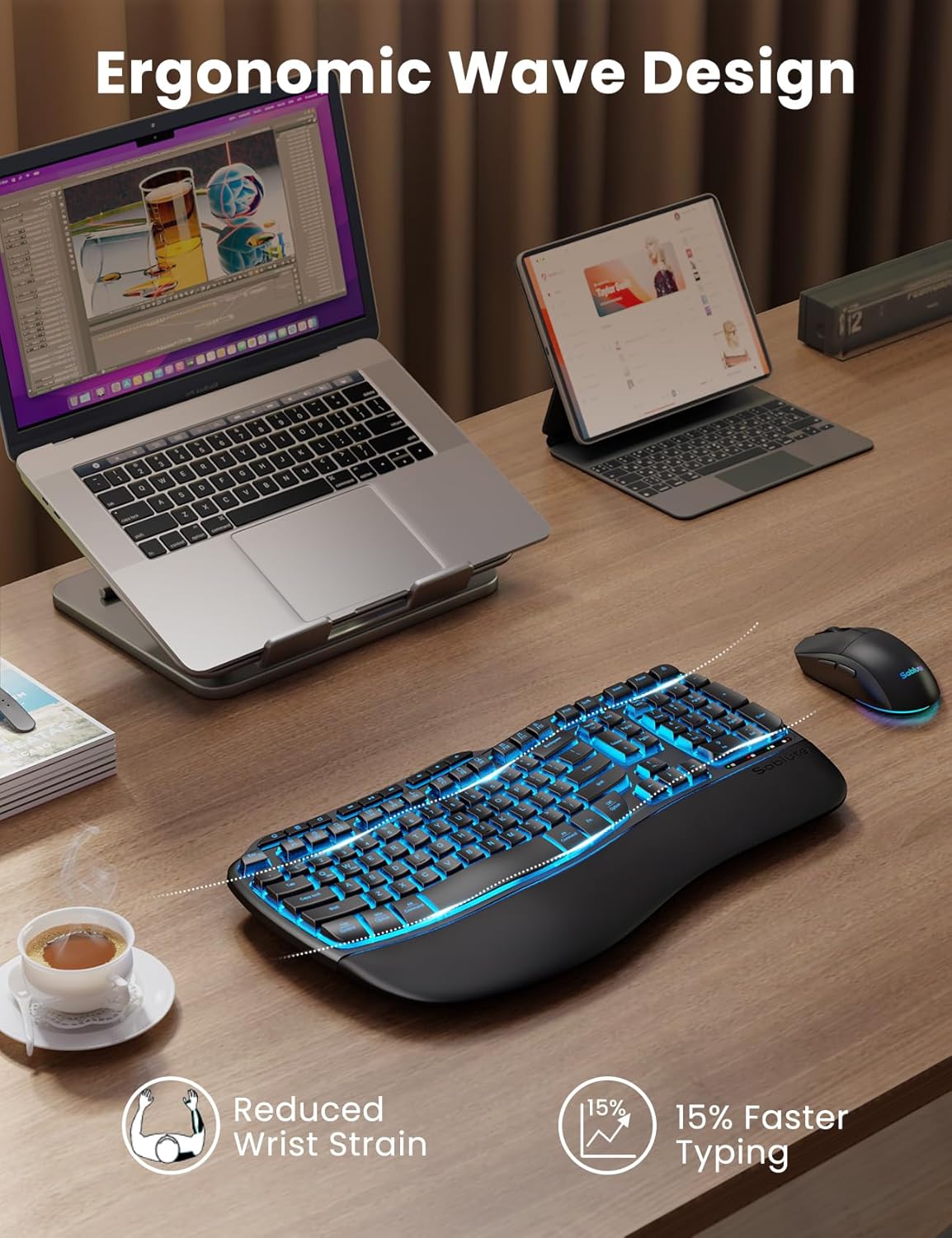
      • Ergonomics Designed – Sit or stand—new adjustable front/back stands support healthy wrist posture. Wave keys deliver smoother, more comfortable typing, so you can type for 8 hours without fatigue. Perfect for pros, home offices, and daily work
      • Backlit Style – Sleek, refined lines and backlighting bring both style and focus to your workspace. Choose soft tones (blue, cyan, white) for calm productivity or bold colors (red, green, purple, yellow) to match your mood—one for every day of the week.
      • RGB Mouse – 700mAh battery, auto sleep mode, 6 buttons, and 3 DPI levels (800/1200/1600). Tired of mice with only cycling lights? This one lets you choose 6 fixed colors or 5 cycle modes. Plus, the keyboard has 9 shortcut keys to boost productivity.
      • Universal Compatibility – One 2.4GHz USB receiver (33ft) connects keyboard and mouse. USB-A & C combo works with 99% of devices—PC, laptops, tablets, desktops, Macs. plug and play.

      Share:

      • 페이스북에 공유
      • 트위터에 트윗하기
      • 핀터레스트에 있는 핀
      • 이메일로 공유
      Share
      Share
      • 페이스북 페이스북에 공유
      • 트위터 트위터에 트윗하기
      • 핀터레스트 핀터레스트에 있는 핀
      • 이메일 이메일로 공유

      Pairs well with

      In stock! Ships within 1-2 business days.

      30-day risk-free trial

      2-Year Warranty

      Complimentary shipping & returns

      Ergonomic Wave Keys Wireless Keyboard and Mouse Combo MA31 Pro

      Ergonomic Wave Keys Wireless Keyboard and Mouse Combo MA31 Pro

      판매 가격$56.99USD정가 $69.99USD
      Need help?

      If you have any questions, you are always welcome to contact us. We'll get back to you as soon as possible, within 24 hours on weekdays.

      • Shipping Information

        Use this text to answer questions in as much detail as possible for your customers.
      • Customer Support

        Use this text to answer questions in as much detail as possible for your customers.
      • FAQ’s

        Use this text to answer questions in as much detail as possible for your customers.

      • Contact Us

        Use this text to answer questions in as much detail as possible for your customers.

      Customer Reviews

      Based on 10 reviews
      Write a review
      80%
      (8)
      20%
      (2)
      0%
      (0)
      0%
      (0)
      0%
      (0)
      B
      BobBob
      Works great...Nice tactile feedback while being quiet...Rechargeable batteries

      Outstanding keyboard! I replaced my old Microsoft keyboard with the Sablute MA31 Pro and I love it! I was very worried that perhaps pressing the buttons would have no tactile feedback or would feel too mushy but it was great. Although it's much quieter than my old keyboard, it has an outstanding feel when the buttons are pushed and the perfect amount of tactile feedback. I can type very fast without making errors (55WPM). I've only used it for about 10 hours (2 days of usage) but I'm so impressed. Upon receipt, I charged both the mouse (took 3 hours) and the keyboard (5 hours). The backlighting ability is great but I've been using the keyboard and mouse with the lights off to prolong battery life. The palm rest is much softer and more comfortable than my old keyboard. I love the ergo keyboard and it's just like my old keyboard. I also contacted Sablute prior to purchase to ask about the keys since I definitely wanted tactile feedback and the company responded very quickly and answered all my questions.Great features:- Lighting on keyboard AND mouse- Great tactile feedback but NOT noisy like my old keyboard- Rechargeable batteries in both keyboard and mouse (uses USB C cable and they provide a Type A to C connector)- Very programmable for lighting intensity and colors- Mouse feels great in my palm and has DPI adjustment right on the mouse- Both keyboard AND mouse have on/off switches but you can program them to sleep and save battery power- Has a calculator key (which I love) as well as emoji key and many other shortcut keys- Feels very durable and I love the ergonomic layout--very easy to type onCONS:- So far...NONE, but I'll update review if anything comes up.

      User picture
      V
      VenVen
      Stylish White Wireless Combo with Great Comfort

      I��m really happy with this white wireless keyboard and mouse combo from Sablute. The ergonomic wave keyboard is very comfortable to use, especially during long work hours, and the cushioned palm rest provides excellent support and reduces wrist strain. The keys are responsive, quiet, and feel smooth while typing.The light-up feature adds a nice modern touch without being distracting, and the full-size layout is perfect for productivity. The silent mouse is another highlight��it��s very smooth and accurate, making it ideal for both work and casual use.Setup was quick and easy with the 2.4G wireless connection, and it works flawlessly on both my Windows laptop and Mac. Overall, this is a stylish, comfortable, and functional keyboard and mouse combo that offers great value for the price. Highly recommended!

      User picture
      V
      VanillaPepper
      Excellent Gift �� Great Quality, Comfortable, and Surprisingly Premium for the Price

      I purchased this as a gift and it ended up being an even bigger hit than I expected. He absolutely loves it. Everything arrived quickly, safely packaged, and in perfect condition, which immediately made me feel better since electronics can sometimes be hit or miss during shipping.For the price, this keyboard and mouse combo honestly feels much more premium than expected. The faux leather palm rest gives it a much nicer and more comfortable feel compared to standard plastic keyboards, and the matte finish makes it look clean and modern on a desk setup. It looks far more expensive than it actually is.The ergonomic design is also genuinely comfortable. The adjustable stands and wrist support make a noticeable difference during longer typing sessions, especially for someone working from home, gaming casually, or spending a lot of time at a desk. The wave-style keys feel smooth and comfortable to type on without feeling stiff or overly loud.The backlighting is another feature that really makes this setup stand out. The lighting options are sleek without looking over-the-top, and it adds a nice modern touch to a workspace. The mouse lighting and multiple DPI settings were also a nice bonus.Battery life seems excellent so far, which was one of the reasons I chose this set in the first place. The larger battery capacity and auto sleep features make it feel practical for everyday use instead of just flashy.I also appreciate how universally compatible it is. Setup was simple and straightforward, and everything connected quickly without issues.Overall, this made an excellent gift and feels like a fantastic value for the money. Comfortable, functional, attractive, and surprisingly well made. Very happy with this purchase. #FoundItOnAmazon #WirelessKeyboard #ErgonomicKeyboard #DeskSetup #GamingSetup #WorkFromHome #RGBKeyboard #TechFinds #AmazonFinds #KeyboardAndMouse #GiftIdeas #OfficeSetup

      D
      Dr. Nic
      Finally Found A Great Ergonomic Keyboard

      I work from home and often put in long hours, so comfort is non?negotiable for me. I also deal with wrist pain in my dominant hand, which makes an ergonomic design absolutely essential. After more than 10 years of relying on the Logitech Wave K350, I fell in love with it. I was disappointed to find that it had been discontinued, so I��ve been searching everywhere for a similar replacement, and I finally found it.Right out of the box, the quality looks and feels impressive. The keyboard charges quickly, and I love that you can keep using it while it��s plugged in. The USB?C port on the side, paired with the right?angle cable, is a thoughtful touch that keeps everything neat and out of the way.The backlighting is another great feature. Whether I��m in the mood for calm productivity (blue, cyan, or white) or want something more vibrant (red, green, purple, yellow), the lighting options make the whole setup feel customizable and fun. The 10 shortcut keys are the cherry on top, making everyday tasks quicker and more efficient.Typing on the wave?style keys is incredibly smooth and comfortable. I can easily work an entire day without the fatigue I used to feel. It��s perfect for long work sessions, home offices, and anyone who types a lot. The mouse also feels great in hand, with a smooth matte finish that complements the keyboard nicely.After searching and searching, I��m so happy I found this combo. If you need comfort, quality, and thoughtful design, this is absolutely worth it.

      U
      User
      Finally! A Logi K350 replacement!

      As a die-hard Logi user of many decades, I was left in the cold with the K350 keyboard was discontinued.Like many others, I have used the Logi K350 keyboard for years...and years. There was much good to say about it and I was just as dumfounded as other enthusiasts when it was discontinued. I too purchased many of them but alas my stock is gone and I need a replacement.I've tried a few "wave" keyboards now, including the Logi MK670 which is a joke. Others were what I've expected from off-shore knock-offs.Sablute, with the MA31PRO, has reimagined the K350 without losing functionality and most comfort. As an unexpected bonus, it has the nearly the same quality I've come to expect from Logi.My opinion:1. It's heavy and that's great!. It stays in place. It gives the keyboard a great feel.2. The wave pattern/shape appears nearly identical to the K350. Over the years, I've tried many styles and love the wavve.3. The F1-F12 keys are also like the K350 and can be found/pressed without looking at them. As a software engineer, I use several of these keys daily and not having to look at them (like with the MK670) is a requirement.4. The overall quality appears to be good. The enter key feels a little odd but like most new things it will take some getting used to.5. The mouse could use a bit more inward contour on the left right. It's a bit slippery. Time will tell.6. I found the settings with Windows 11 compatible and was able to configure it the way I like.7. The lighted feature is cool but not something I will use daily. It is however useful in dark environments.8. The fact that it can be recharged is a bonus, especially if you use the lighted feature.9. I'm not a fan of the lock key. It would be nice to be able to configure the key to put the computer to Sleep. A very nice feature of the K350 was that the sleep key was indented so you didn't accidently hit it. The MA31 lock button sticks right out there, and I can see cussing at it when accidently hitting it.10. Others have mentioned the left-side palm rest being too small. I agree with this. My wrist rests on the left-bottom corner which is uncomfortable.The value for money is spot on.

      12

      Customer service

      It’s not actually free we just price it into the products.

      Fast Free Shipping

      Free U.S. Shipping & 30-Day Free Returns

      Secure payment

      Your payment information is processed securely

      Shop
      • Ergonomic Combos
      • Ergonomic Mice
      • Vertical Mice
      • Trackball Mice
      • Large Print Keyboards
      About Sablute
      • About Us
      • Privacy Policy
      • Terms of Service
      Support
      • Contact Us
      • Shipping Policy
      • Refund & Return Policy
      • Manual

      Sablute

      Subscribe for early access and exclusive offers, and more.

      You can unsubscribe anytime. See our Privacy Policy.

      • X (Twitter)
      • Instagram
      • YouTube
      • TikTok
      • Pinterest
      © 2026 Sablute. Powered by Shopify
      • 환불 정책
      • 서비스 약관
      • 연락처 정보
      • American Express
      • Apple Pay
      • Google Pay
      • Mastercard
      • PayPal
      • Shop Pay
      • Union Pay
      • Visa
      • 선택 항목을 선택하면 전체 페이지가 새로 고쳐집니다.
      • 새 창에서 열립니다.